Youth group leader problems: one shared list for leaders
Youth group leader problems come back every term: the shy newcomers who never speak, the parent who collects late, the activity that falls flat on a wet night. Leaders swap fixes in a chat or at the church hall door, and by September most of it is gone. This guide shows you how to keep one shared list for the leaders, with each problem, each fix a leader tried and what happened. You will see what goes on the list, how to set it up in one planning evening, and how to hand it to a new leader so they do not repeat last year.
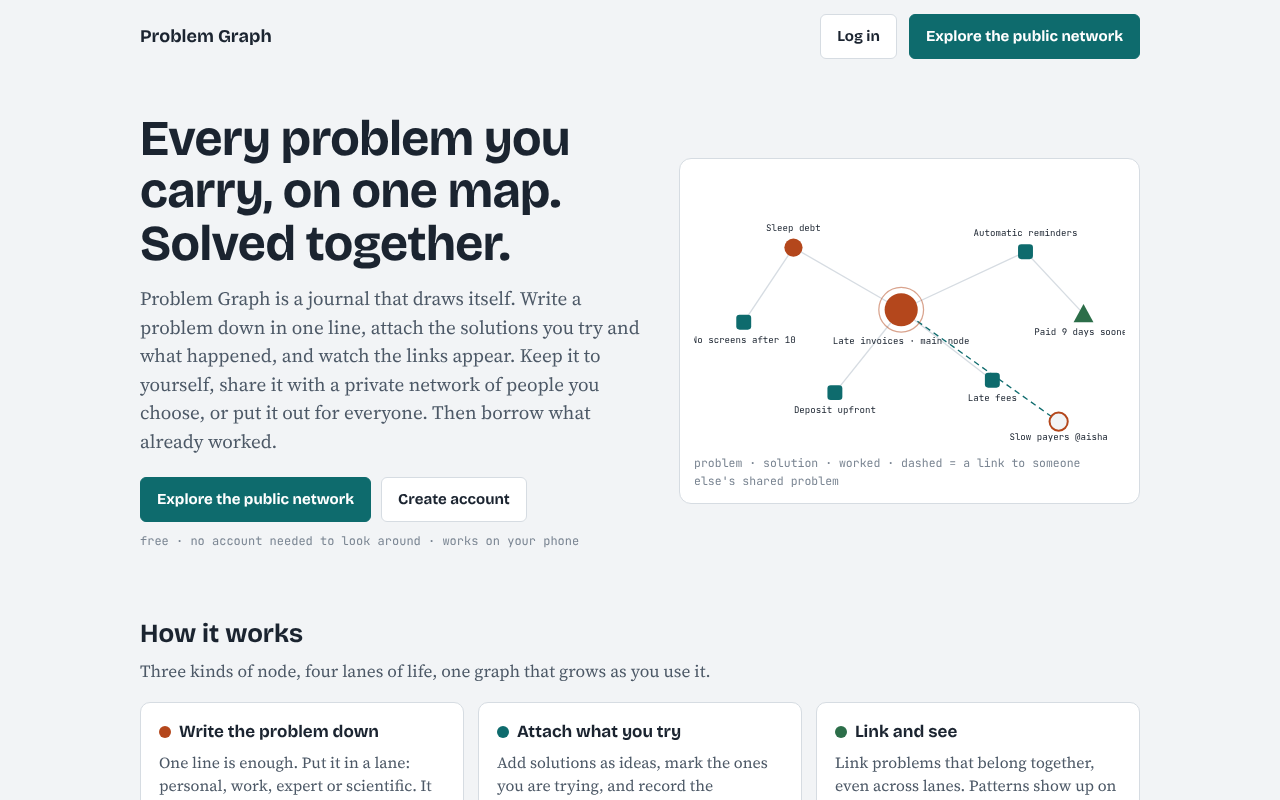
Problem Graph is a free problem and solution journal: write a problem down in one line, attach the solutions you try and what happened, and link the problems that belong together.

Why youth group leader problems get solved again and again
Most youth groups run on volunteers who give a few hours a week. People move on, study somewhere else or have a baby. When a leader leaves, what they learned goes with them.
The fix that worked is rarely lost, because everyone liked it. The fix that failed is lost. Nobody writes "we tried a phone ban in the first ten minutes and the older group rebelled". So a new leader tries the phone ban, and the group rebels again.
A shared list keeps the failures as well as the wins. A failed fix is useful information, and it is the part you most need to hand on.
What the shared list is for
The list answers one question at every planning meeting: what is still open, and what have we already tried?
It is not a rota, a register or a safeguarding record. Keep those where your organisation tells you to keep them. Put nothing on this list that names a young person or shares anything private about a family. Write the problem about the situation, not the child: "Younger group gets restless after 20 minutes of talking", not a name.
What to write for each problem
Keep each problem to one line, specific enough that another leader could picture it. A small group's list might begin like this:
- Attendance drops in the weeks after half term
- Two cliques stay apart during games
- Parents collect up to 30 minutes late
- Craft nights run out of materials
- Older teens say the evening feels childish
Under each one, add the fixes you try and an outcome for each: worked, partly or failed. "Sent a reminder text to parents: partly" tells the next leader that texts help some families and not others. "Mixed the teams by birthday month: worked" is a fix someone can borrow next term.
You can also link problems that belong together. Falling attendance and an evening that feels childish may share a cause. Once they are linked on the map, the pattern shows up, and a plain list never shows it.
Set it up in one planning evening
Here is the workflow in Problem Graph, a problem and solution journal drawn as a map. It runs in the web browser on a phone or a computer, and it is free to start.
- One leader opens the app. Go to the app. Anyone can look around without an account. To add a problem you create an account with a username and a password. Pick the leader who is most likely to stay.
- Go round the room. Ask each leader for the one problem they keep running into. Type it as a single line and press Enter. It lands on the graph straight away. Put these in the work lane, or whichever lane suits you, so you can filter later.
- Record what has been tried. Ask the longest-serving leader what they remember. Add each fix and mark it worked, partly or failed.
- Mark the shared problems as main nodes. Only a main node can be shared. When it is, its solutions, their outcomes and the requirements they need go along with it. A problem you only link to it stays on your own graph.
- Make a private network for the leaders. Give the invite code to the leaders and share your main nodes into it.
Take care with step 5. The app says anyone with the invite code can join, so treat the code like the key to the hall. Give it to leaders directly. Do not post it in a parents' group.
If the map feels empty at first, the app offers a Load example set button on an empty graph, so you can see how a filled one looks before you start. There is also a List view beside the map, which some leaders find easier to read aloud.
A worked example: the late pickups
Take one problem from the list: "Parents collect up to 30 minutes late". Here is how three leaders might build it over a term.
- Problem: Parents collect up to 30 minutes late.
- Fix 1: Add the finish time to the weekly message: partly. Some families improved, a few did not.
- Fix 2: A leader waits with the last young people at the door instead of locking up: worked, but it ties up one leader every week.
- Fix 3: A late-collection rota for leaders: trying.
Link this problem to "Craft nights run out of materials" if the late wait is when leaders end up improvising activities. Now the map shows two problems with one cause, and the next leader can see that fixing pick-up times may help the activities too.
The failed fix is the useful part. If Fix 1 had stayed in one leader's head, the next person would send the same message and hope.
Handing the list to a new leader
Handover is where this pays off. When someone joins, give them the invite code and ask them to read the list before their first session, filtered to Network so they see only the shared problems. In ten minutes they know which problems are open, which fixes are worth borrowing and which ones to skip.
When someone leaves, ask them to spend ten minutes adding any fix they never wrote down. Our guide to handover notes covers what to ask for.
Each term, run through the list as a short review. Open the problems with a fix marked as trying and record the outcome. Pick one problem with nothing being tried and agree one next step and one name. Problem Graph has no reminders or notifications, so put the owner's name in the fix line and read the list at each planning meeting.
Where this fits with your other groups
The same habit works for other volunteer-run groups. See volunteer group problems for a general version, sports team problems for a coach's list and club committee problems for a committee.
Frequently asked questions
Can parents or young people see the list?
Not unless you give them the invite code. A problem is private by default, and a private network is for the people you give the code to. Keep the code with the leaders.
Should I put names of young people on it?
No. Write about the situation, not the child. Keep safeguarding and personal records where your organisation requires them.
What if a leader does not want to use another app?
Start with one leader who keeps the list and brings it to the planning meeting. Others can look around the app without an account, and add problems later if they wish.
Does it send reminders?
No. The pages describe no reminders, comments or chat. Use the list as your agenda and write the owner's name next to the fix.
Get started
Try Problem Graph: it is free, and you can look around the public network without an account. Write one youth group problem down in a line and add the first fix you will try.


Comments
No comments yet.
Sign in or make an account to comment.